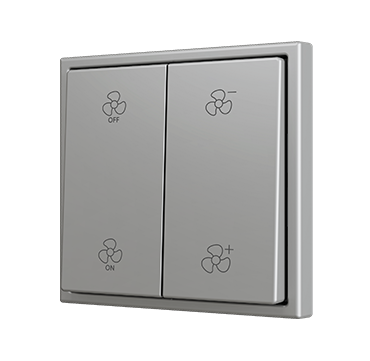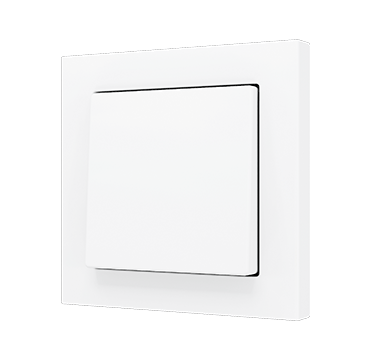
KNX single or double push button with bottom and top press, with conventional appearance and smooth pressing feel. Designed in 55 x 55 format for installing together with Zennio’s ZS55 frames and sockets. KNX Soft push buttons are available as single-button or double-button versions with activation on the bottom or on both the top and bottom, depending on the model. It incorporates an internal temperature probe and a thermostat as well as an analog input to be configured as temperature probe.
Thanks to the Soft push buttons, you’ll be able to integrate conventional appearance in a KNX installation, offering an outstanding haptic experience.
It is compatible with KNX Secure. Accessories: temperature probe.
Each KNX Soft push button 55×55 is made up of two references:
- KNX electronic module ⇒ Ref. ZS55SOFT
- Tilt cover ⇒ depending on the number of push areas and the selected design
Configuration options (number of push areas):
- x = 1 ⇒ 1 tilt cover
- y = 1 ⇒ Push area on bottom
- y = 2 ⇒ Push areas on top and bottom
- x = 2 ⇒ 2 tilt covers
- y = 2 ⇒ Push area on bottom of each cover
- y = 4 ⇒ Push areas on top and bottom of each cover
Available designs for tilt covers:
- ZS55CSOFTxyYY ⇒ Plain design without icons
- ZS55CSOFT11LYY ⇒ Light icon
- ZS55CSOFT11KYY ⇒ Key icon
- ZS55CSOFT11DYY ⇒ Doorbell icon
- ZS55CSOFTxySHYY ⇒ Shutter icons (xy = 12, 22 or 24)
- ZS55CSOFTxyYYC ⇒ Custom design with custom icons through Touch My Design tool
Frame not included.
Zennio offers various finishes to suit a wide range of decorative environments, using colour references based on international standards. This table lists the available finishes along with their corresponding reference to facilitate identification and selection.
Colours shown are based on the RAL system, an international norm widely used to define hues with precision.
| Finish Name | RAL (colour reference) | YY / XX ref suffix |
|---|---|---|
| Silver | RAL 9006 | S / 06 |
| Anthracite black | RAL 9004 | A / 05 |
| Matt white | RAL 9016 | W o MW / 09 |
| Champagne | RAL 1035 | C / 04 |
| Mocha | RAL 7006 | M / 03 |