


ZenProg Remote Manual
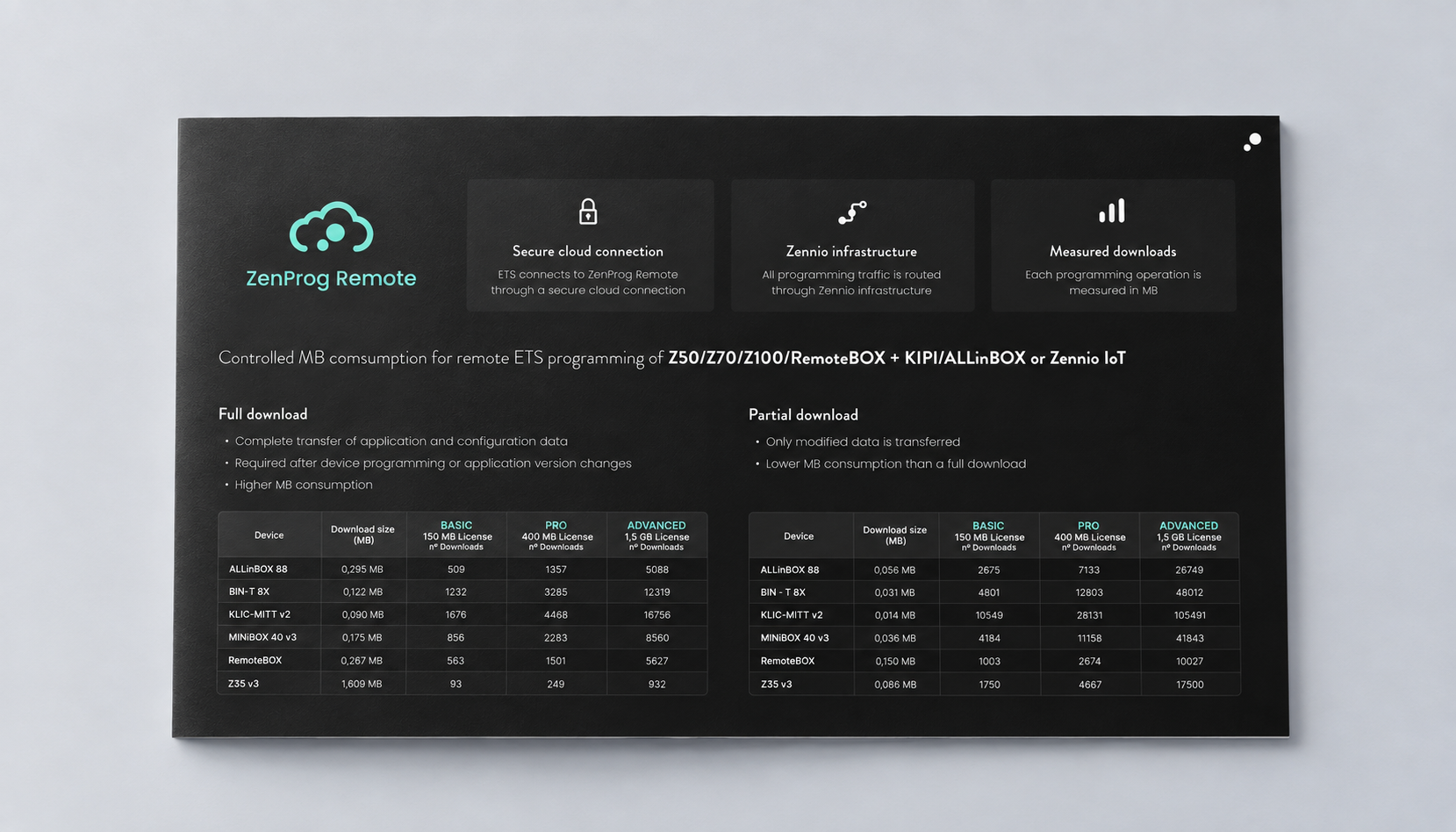
ZenProg Remote Download Size

Discover our Families
Product Gallery
Product Catalogue
Customization
Our Solutions
Solutions Catalogue
Projects
Help
Applications
Company
Talent
Discover more about Zennio
No additional devices or installation costs: you only need to purchase the license.
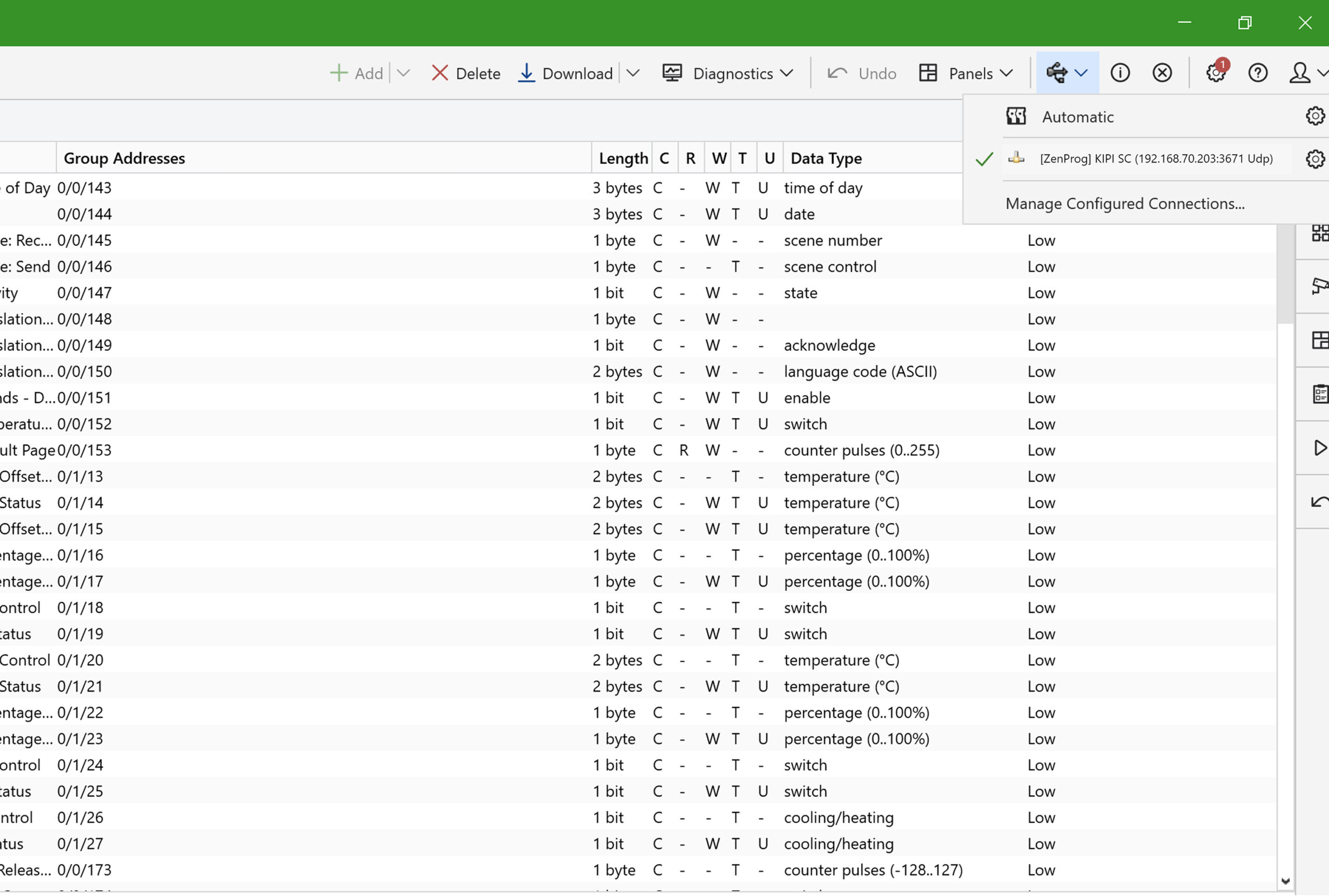
ZenProg Remote connects your PC to a remote KNX installation through the Zennio Remote infrastructure — so you can program and support it without being on site.
Compatibility info: Z50 / Z70 / Z100 require software version 4.1.z or later.
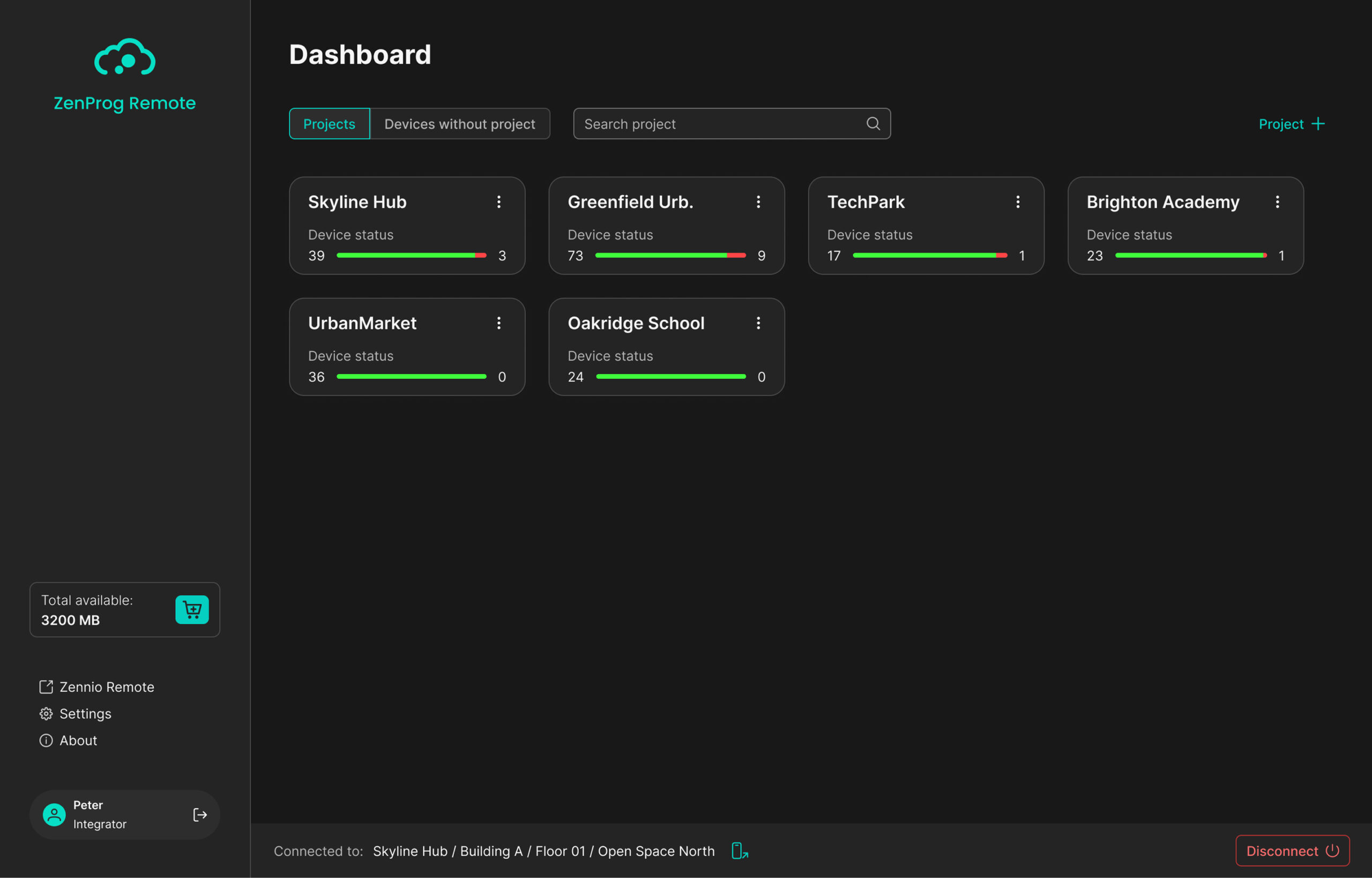
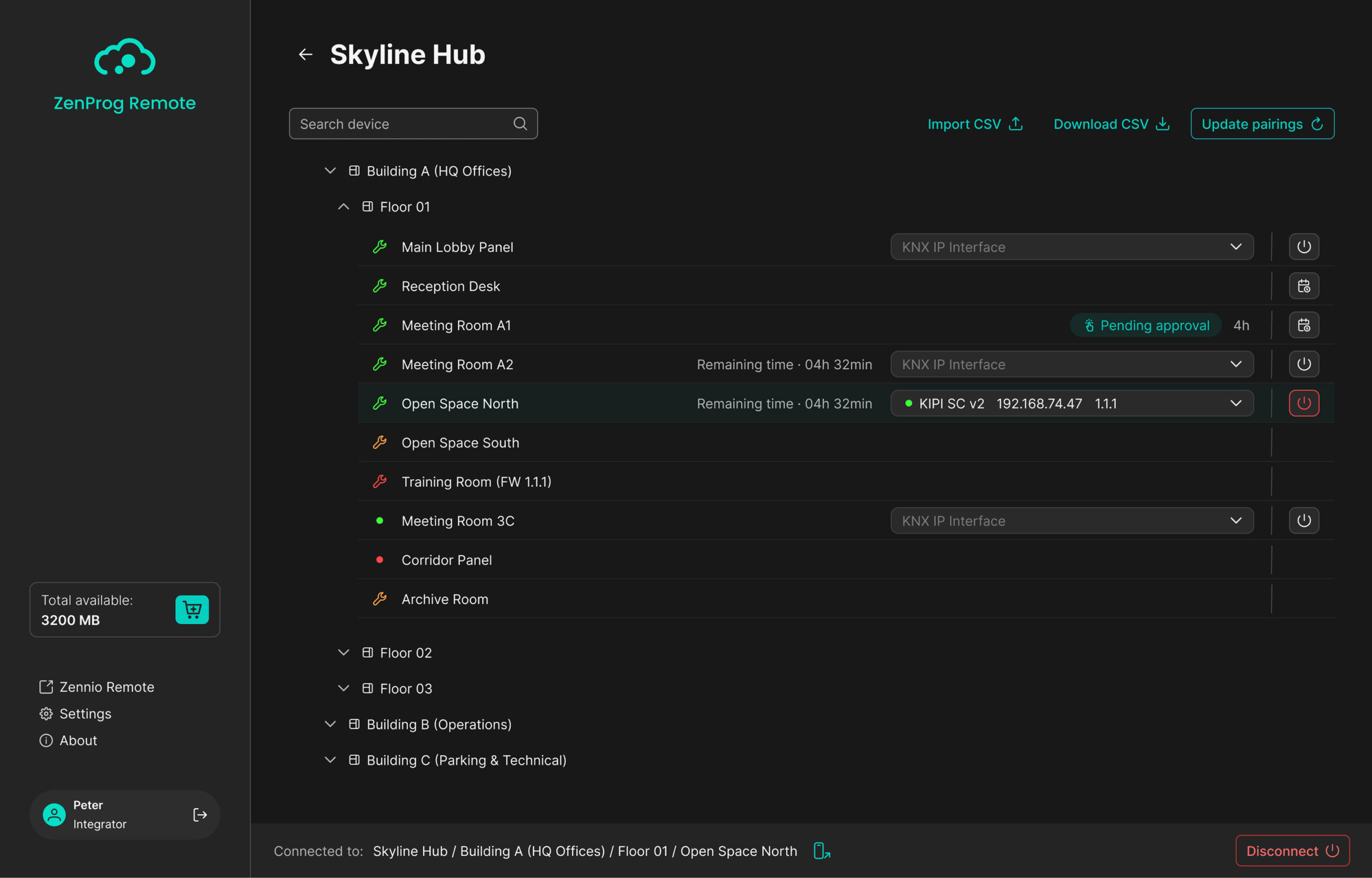
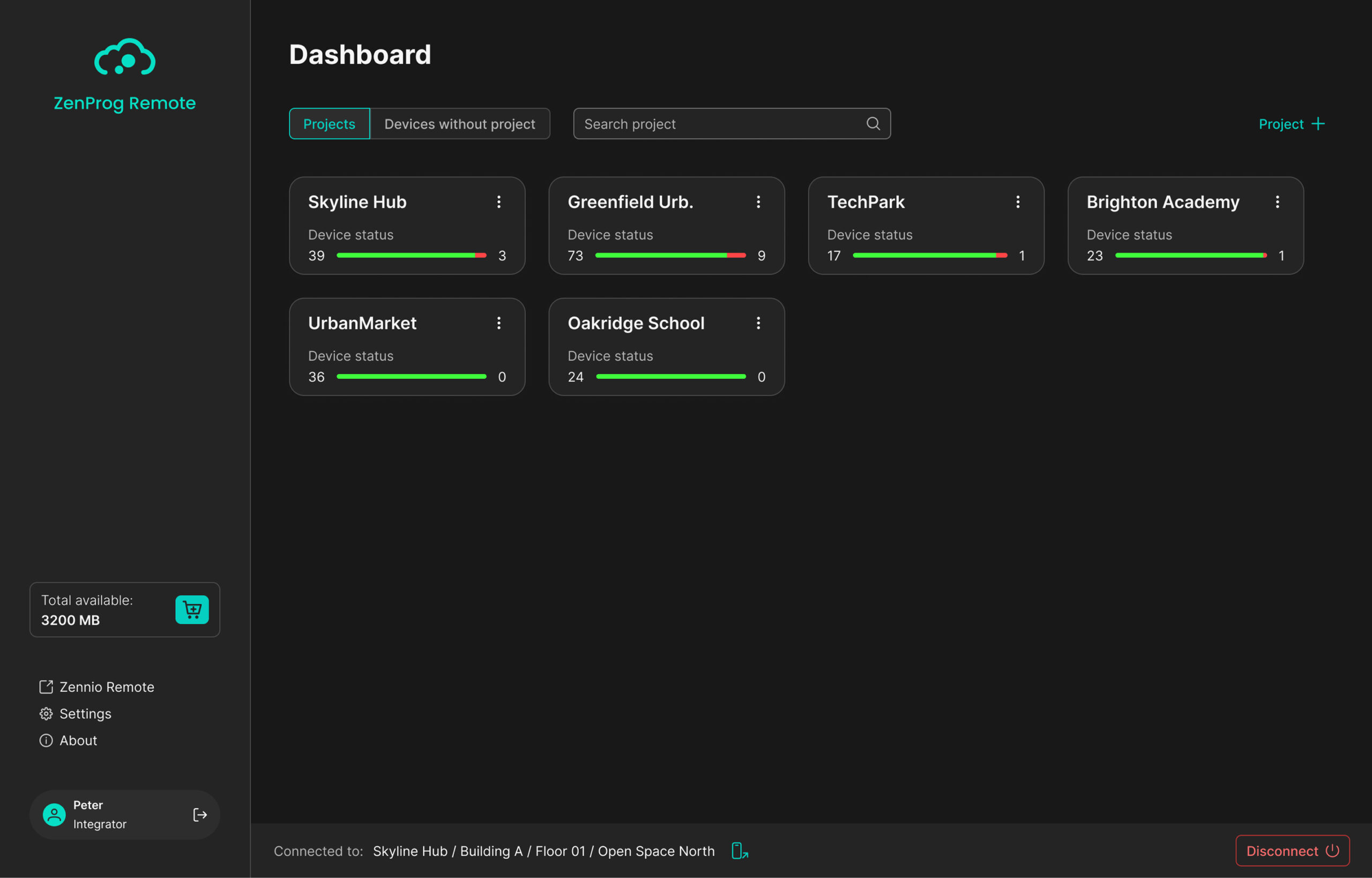
Organize your remote KNX installations and see their status from a single workspace.
ZenProg Remote organizes devices into structured projects, keeping large, multi-building installations easy to navigate.
Up to 4 hierarchical levels, including the project itself
Devices organized by project, with a dedicated view for unassigned devices
CSV import & export for fast topology setup
ZenProg Remote supports two pairing types that define how remote access is handled.
The pairing icon shows the pairing type and the device’s connection status at a glance
Start with 10 MB included. When you need more capacity, choose the license that fits your usage.
10 MB free to get started
Remote KNX programming through ETS, wherever your installation is.
Explore the ZenProg Remote user manual and access the information you need to get started.
At www.zennio.com cookies are used, its own and third-party cookies, for personalization to improve the quality of the product or service offered; analytics to measure the audience and analyze the users' behaviour; and behavioural advertising to offer personalized advertising based on the users' browsing patterns (for example, pages visited). You could find more information in our Cookies Policy. You can accept all the cookies by clicking on the "Accept Cookies" button or reject them by clicking on the "Reject Cookies" button. You can also manage these cookies and, therefore, accept or reject them individually or entirely from the Settings Panel.


